
Documentation
Setting up the RST CTI Assistant bot in Microsoft Teams
A 24x7 virtual CTI analyst inside Teams — personal, team or group chat. One-time setup by an organisation admin, then anyone in the workspace can ask it a question. This page covers configuration and the two built-in commands; for what the Assistant itself can answer, see the RST CTI Assistant product page.
Setup
Two steps: install it from the Microsoft Teams marketplace, then configure your RST API key once for the whole organisation.
Get the bot from Microsoft Teams
An organisation admin installs RST CTI Assistant Bot from the Teams app catalogue, or via the direct listing.
Get it from Microsoft TeamsSet your RST API key
Message the bot directly and run:
# find your key at rstcloud.com under your account — run this once, in a direct message to the bot, not in a team channelsetkey YOUR_RST_API_KEYThis is a one-time, organisation-level configuration. Once set, anyone in the workspace can chat with the bot in personal, team, or group conversations, subject to your RST Cloud plan quota.
Ask it something
Start with
helpto see the kinds of questions it answers, or go straight to a real one — an indicator, a threat actor, or what is targeting your sector this week.
Commands
Everything else is a plain-language question — these two are the fixed commands the bot itself understands.
setkey YOUR_RST_API_KEYOne-time organisation setup, run in a direct message to the bot. See Setup above.
helpA refresher on what to ask — tactical (an indicator or malware family), operational (recent tools and TTPs for a named actor), or strategic (what is targeting your sector or region).
reportSend feedback on a response — flag something wrong, missing, or worth improving. Goes to RST Cloud, not just the chat log.
What it looks like
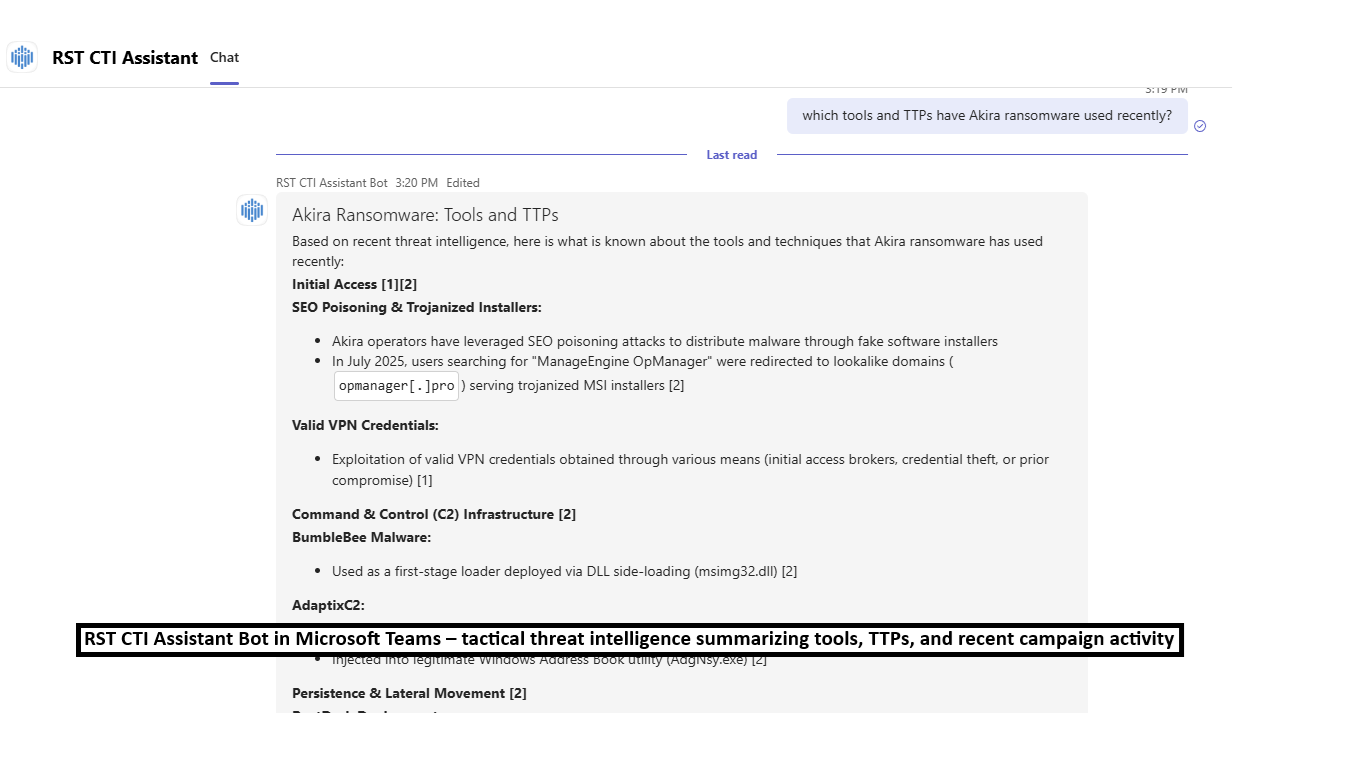
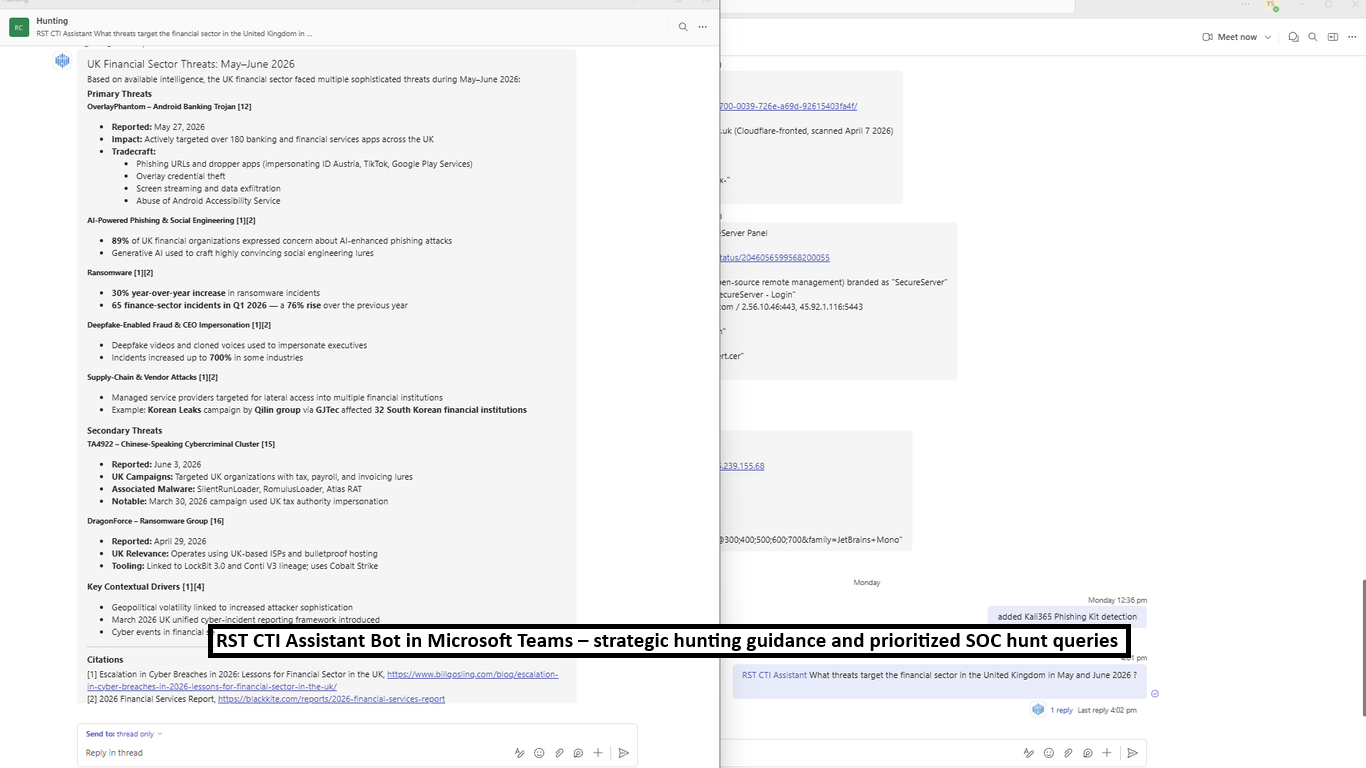
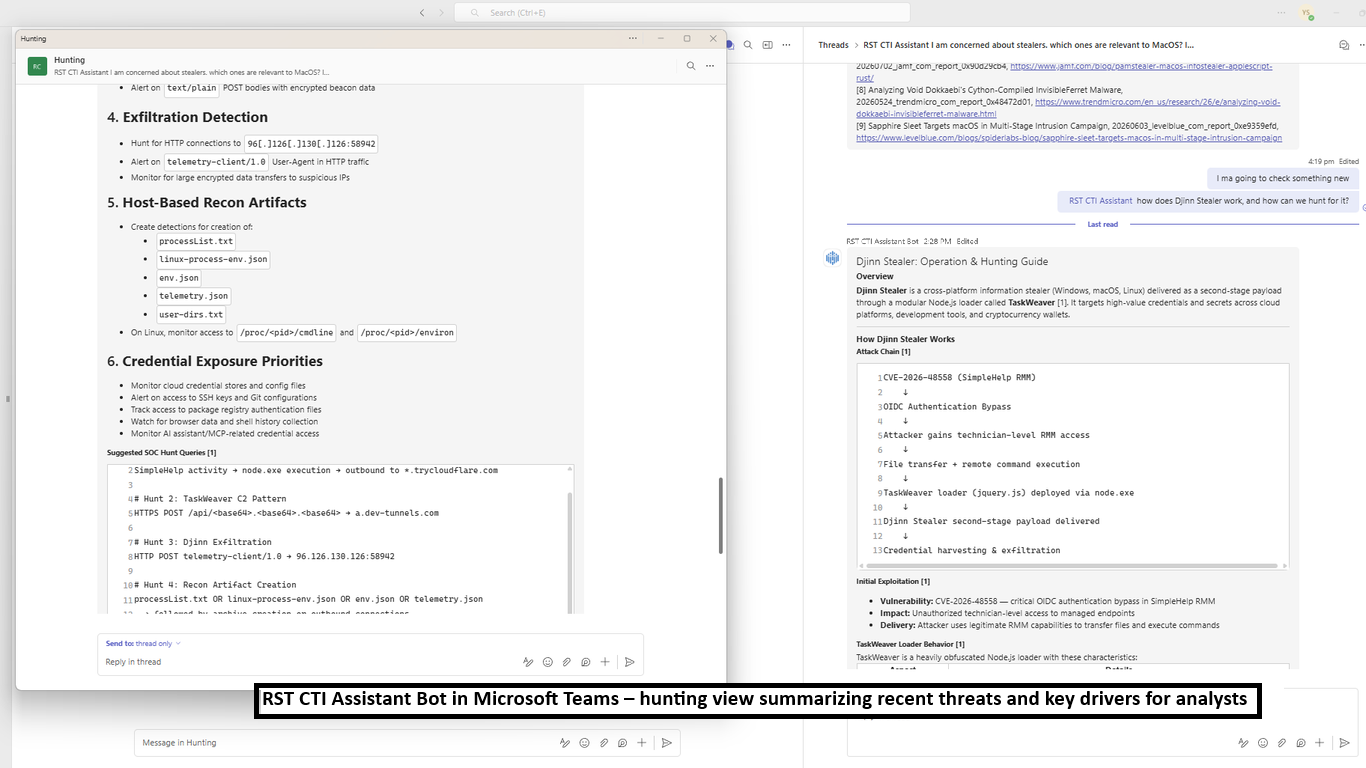
Requirements. An active RST CTI Assistant subscription and API key. Usage is subject to your RST Cloud plan quota. Responses are AI-generated from RST Cloud intelligence sources — verify critical findings before any automated enforcement action.
Support. RST CTI Assistant product page or support@rstcloud.com.
Prefer to see it answer your own question first?
Request a demo, or read what else the Assistant can do — API, MCP, and Slack, alongside Teams.
Request a demo Back to RST CTI Assistant